In a digital world where standing out feels like constantly mashing the jump button, tapping into a beloved visual language can be your super power. Whether you're crafting a nostalgic birthday invitation or simply looking to inject a burst of playful personality into your online presence, knowing exactly How to Use Mario Font Generators Effectively is a skill worth mastering. These tools aren't just for hardcore gamers; they're versatile design companions that can elevate everyday text into something truly memorable.
At a Glance: Your Quick Power-Up Guide
- Two Main Types: Understand the difference between Unicode-based text generators (for copy-pasting editable text) and image-based generators (for creating graphical elements).
- Unicode = Versatility: Copy and paste these unique character sets into social media, docs, or chats – no installation needed.
- Image = Authentic Visuals: Generate classic blocky Mario text as an image for party invites, banners, or fan art.
- Licensing Matters: Always be mindful of copyright, especially with image-based fonts for commercial projects. Fan-made fonts are typically for personal use.
- Creative Potential: From gaming-themed events to unique social media bios, these tools unlock a world of fun design possibilities.
Why Even Bother with Mario-Themed Fonts? It's More Than Just Nostalgia
Let's face it: the Super Mario universe is a cultural icon. Its vibrant colors, distinct sound effects, and instantly recognizable typography evoke feelings of joy, adventure, and playful challenge. When you leverage fonts inspired by this world, you're not just picking a typeface; you're tapping into decades of positive association.
For personal projects, it's about pure fun and personalization. Imagine sending out a birthday invitation that instantly communicates a gaming theme without saying a word, or surprising a friend with a message in a quirky, recognizable style. Professionally, even if you’re not Nintendo, a subtle nod can create memorable branding, foster engagement, and make your content feel more approachable and unique. It's a fantastic way to express personality and make your documents anything but boring.
The Two Worlds of Mario Font Generators: Unicode vs. Image
Before you dive in, it’s crucial to understand that not all "Mario font generators" are created equal. They generally fall into two distinct categories, each serving different purposes and offering unique advantages. Knowing which one suits your needs is the first step to using them effectively.
1. The Unicode Character Generators: Text You Can Copy & Paste
Think of these as your go-to for adding flair to text fields that demand editable characters. These tools don't actually generate a "font" in the traditional sense, but rather a sequence of Unicode characters that mimic various stylistic effects. Unicode is a universal character encoding standard, meaning these special characters are recognized across almost all digital platforms.
How They Work, Step-by-Step:
- Type Your Text: You simply enter your desired words into a designated input box.
- Instant Preview: As you type, the generator displays your text in dozens of different Unicode-based styles below or alongside the input. These might include bold, italic, script, circled letters, or even characters adorned with small emojis or decorative elements.
- Choose Your Style: Scroll through the options and find the style that best captures the vibe you're going for. You'll often see a selection of over 30 unique looks.
- One-Click Copy: Next to your chosen style, there will be a "COPY" button. Click it, and the specially formatted Unicode text is instantly saved to your clipboard.
- Paste Anywhere: Now, simply paste this text into your desired application – a social media bio, a Google Doc, a chat message, an email, or even a presentation slide.
Where Unicode Mario-Inspired Text Truly Shines:
- Social Media Bios & Posts: Make your Instagram bio pop, add emphasis to a tweet, or decorate your Facebook status.
- Chat Messages: Send playful texts or WhatsApp messages that stand out in a sea of plain text.
- Documents & Presentations: Add unique headings or highlight key phrases in Google Docs, Word documents, or PowerPoint slides for a touch of fun.
- Forum Signatures: Personalize your online forum presence.
- Simple Web Content: Integrate into basic web forms or text-based site elements where custom font installation isn't possible.
Why Choose Unicode Generators? - Universal Compatibility: Because they use standard Unicode characters, these styles are generally viewable on any device or platform without needing to install a special font. This means your text will look consistent for most users.
- No Installation Required: Zero hassle with font files, directories, or system settings. Just copy and paste.
- Real-time Generation: See your text transformed instantly, allowing for quick experimentation.
- Boost Engagement & Personality: Unique text naturally catches the eye, making your content more engaging and reflecting your personal brand or playful side.
Limitations to Keep in Mind:
While highly versatile, Unicode generators don't produce the exact blocky, pixelated, or colorful font you typically associate with the classic Super Mario games. They offer Mario-inspired stylistic variations (like bold, italic, or decorative scripts that evoke a gaming aesthetic), but not the iconic "Super Mario Bros." logo font itself. If you're looking for that specific graphical representation, you'll need an image-based generator.
2. The Image-Based Font Generators: For Authentic Visuals
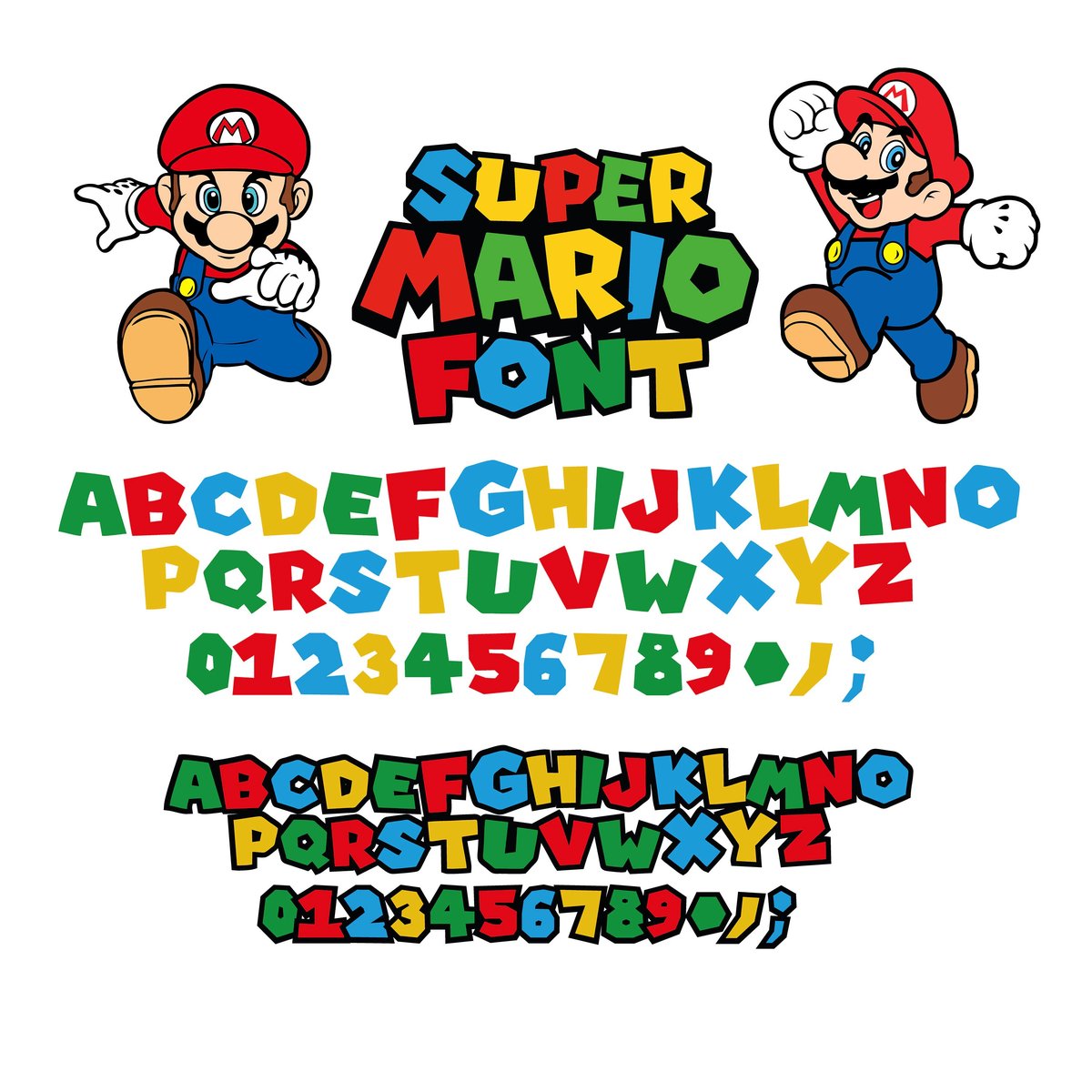
This type of generator is what most people picture when they think of a "Mario font." These tools create an actual image file (like a PNG or JPG) that features your text rendered in the classic, blocky, colorful style reminiscent of the Nintendo games since 1985. These are perfect for situations where you need a graphic element rather than editable text. If you want to Generate your Mario font in its iconic blocky form, this is your go-to method.
How They Work, Step-by-Step:
- Enter Your Text: Just like with Unicode generators, you'll start by typing your desired text into an input field.
- Customize Your Look: This is where the fun begins. You'll typically have options to:
- Select Font Size: Choose how large or small your text should appear in the final image.
- Choose Colors: Often, you can select primary and secondary colors for the text itself, its outline, or even a background color, mimicking the vibrant palette of the Mario games.
- Live Preview: Most good generators will offer a real-time preview, allowing you to see exactly how your text will look with your chosen settings before you finalize it.
- Download Your Image: Once satisfied, you'll click a "Download" button to save the generated text as an image file (e.g., PNG, JPG) to your computer.
Where Image-Based Mario Text Excels:
- Gaming Party Invitations: Design eye-catching invites that immediately set the theme.
- Birthday Banners & Decorations: Create custom banners for parties or game rooms.
- Fan Art & Craft Projects: Incorporate authentic-looking text into digital or physical fan creations.
- 8-bit Themed Social Media Posts: Share graphics with that distinct retro gaming aesthetic.
- YouTube Thumbnails & Stream Overlays: Enhance your gaming content with recognizable branding.
- Custom Merchandise (with caution): Design personal t-shirts, mugs, or stickers.
Why Choose Image-Based Generators? - Authentic Visual Style: These tools replicate the precise blocky, colorful, and pixelated aesthetic of the classic Mario game text, which Unicode text cannot.
- Customizable Appearance: You have control over size, color, and sometimes even effects, allowing for a personalized graphic.
- Simplicity and Speed: They are often very easy to use, providing a high-quality graphic in just a few clicks.
Crucial Considerations: Licensing and Commercial Use
This is perhaps the most critical section for image-based generators. The iconic Mario font style is instantly recognizable and deeply tied to Nintendo's intellectual property. - Fan-Made, Not Official: Most online Mario font generators that produce this iconic look use fan-made renditions of the typeface, not official Nintendo fonts.
- Personal Use Generally Fine: For personal projects – a birthday banner for your child, a greeting card for a friend, a decoration for your game room – you're generally in the clear.
- Commercial Use Requires Review: If you intend to use this font style for anything that generates revenue (selling merchandise, advertising a business, professional branding), you must exercise extreme caution. Nintendo is fiercely protective of its trademarks and copyrights. Using fan-made fonts for commercial purposes without explicit licensing or permission from Nintendo could lead to legal issues.
- Mario™ and Related Characters are Trademarks of Nintendo: This isn't just a fun fact; it's a legal disclaimer. Always assume that anything closely resembling official Nintendo branding falls under their intellectual property.
The Golden Rule: When in doubt about commercial use, don't use it without proper legal guidance or direct permission. Stick to personal, non-commercial projects to avoid any potential headaches.
Choosing the Right Mario Font Generator for Your Project
With two distinct types of generators, how do you pick the best one for your needs? Ask yourself these questions:
- Do I need editable text or an image?
- Editable Text: Go for a Unicode generator. You can copy, paste, and modify the text within any application. Perfect for social media bios, chat apps, or document headings.
- Image Graphic: Choose an image-based generator. You'll get a static picture of your text, ideal for party invitations, banners, fan art, or custom graphics.
- What level of "Mario authenticity" do I need?
- Mario-Inspired (Stylistic Flair): Unicode generators offer a wide range of decorative, bold, or quirky styles that evoke a playful, gaming-adjacent feel.
- Iconic Blocky Mario (Exact Look): Image-based generators are essential for replicating the specific pixelated, colorful block font from the games.
- Is this for personal or commercial use?
- Personal Use: Both types are generally fine, though image-based generators require more caution due to their direct visual association with Nintendo's IP.
- Commercial Use: Extreme caution. Unicode is safer as it's not directly mimicking a trademarked logo font. Image-based generators are generally a no-go for commercial ventures without explicit licensing.
Practical Steps to Leverage Your Mario Font Generators Effectively
You've picked your generator, now let's make the most of it.
For Unicode-Based Generators:
- Experiment Widely: Don't just pick the first cool style. Try out a few options with your text to see which one best fits the platform and message. Some styles might look great in a bio but too busy for a long sentence.
- Combine & Conquer: Sometimes, using a subtly styled Unicode font for your main text and a bolder, more decorative one for emphasis (e.g., a name or a key phrase) creates a dynamic look.
- Check Cross-Platform Compatibility: While Unicode is universal, very obscure or heavily decorated characters might render differently or as blank boxes on older devices or less common applications. Always do a quick test on the target platform if consistency is critical.
- Less is Often More: Overusing decorative Unicode can make your text hard to read. Use it for impact and personality, not for entire paragraphs.
For Image-Based Generators:
- High Resolution is Key: When generating images, always aim for the highest resolution possible. This ensures your text looks crisp and clear, especially if you plan to print it or use it in larger designs. Blurry pixel art loses its charm quickly.
- Color Harmony: Play with the color options to match your project's theme. Thinking about the classic red and blue or green pipes can inspire your palette choices. A live preview tool is invaluable here, so you can see your text come to life before downloading.
- Transparent Backgrounds: Look for generators that offer PNG downloads with transparent backgrounds. This makes it incredibly easy to overlay your Mario text onto any image or design without a clunky white box around it.
- Context is Everything: Remember where this image will be used. A large banner needs a different font size and possibly different colors than a small social media icon.
- Backup Your Designs: Once you’ve created a perfect image, save it to a clearly named folder. You never know when you might need it again!
Beyond the Obvious: Creative Applications for Mario-Styled Text
Let's brainstorm some unique ways to infuse your projects with that Super Mario magic:
- Educational Materials: Liven up quizzes, lesson plans, or educational games for younger audiences. "Level Up Your Math Skills!"
- Event Marketing: Promote a game night, a retro-themed party, or a charity esports tournament.
- Digital Scrapbooking: Add fun headings or captions to your digital photo albums.
- Meme Creation: Craft custom memes with authentic-looking Mario text.
- Personalized Gifts: Design custom labels for homemade goods, or unique gift tags.
- Website Banners (Personal Blogs): Give your personal gaming blog or fan site a thematic header.
- Digital Escape Rooms: Use the font for clues or instructions within a themed online puzzle game.
Using a tool to create your own Mario font is just the beginning; the real magic happens when you apply it creatively.
Common Pitfalls and How to Avoid Them
Even with the best tools, a few missteps can derail your design.
- The "Not-So-Mario" Unicode: Don't expect Unicode generators to produce the exact pixelated Mario logo. If that's your goal, always opt for an image-based tool.
- Readability Issues: Some highly decorative Unicode styles, while cool, can be difficult to read, especially in small sizes or long sentences. Prioritize clarity over flash for important information.
- Copyright Headaches (Again!): Seriously, this can't be stressed enough. If money changes hands, or if your project is for a business, steer clear of image-based Mario fonts unless you have secured explicit licensing or created a parody that's clearly transformative and non-infringing. The safest bet is always unique, non-trademarked fonts for commercial work.
- Poor Image Quality: Downloading a low-resolution image and trying to scale it up will result in pixelation and a unprofessional look. Always start with the highest quality image available.
- Overuse: Like any powerful design element, Mario fonts lose their impact if used everywhere. Reserve them for headlines, call-to-actions, or specific themed elements to maximize their effect.
Troubleshooting & FAQs
"My copied Unicode text shows up as squares or strange characters!"
This usually means the platform you're pasting into doesn't fully support the specific Unicode characters used, or your device's operating system or font doesn't have a glyph for that character. Try a different Unicode style from the generator, or ensure your device is updated. If it's a critical message, revert to plain text.
"Can I install an official Mario font on my computer?"
Nintendo does not make its official fonts publicly available for installation or commercial use. Any downloadable "Mario font" you find online will be a fan-made recreation, which loops back to the licensing and copyright discussion.
"What's the difference between a 'font' and 'Unicode characters'?"
A "font" is a file you install on your computer that dictates how text looks. "Unicode characters" are simply standardized numerical codes for characters (like 'A', 'b', '&', or even emojis). When a Unicode generator creates "Mario text," it's using existing special Unicode characters that happen to look like a certain style, not creating a new font file.
"Are there any ethical concerns with using these generators?"
For personal, non-commercial use, the ethical concerns are minimal, as you're typically celebrating a beloved franchise. For commercial use, the ethical (and legal) concerns are significant due to copyright and trademark infringement. Always be respectful of intellectual property.
Level Up Your Designs: Your Next Steps
You've now got the knowledge and tools to effectively use Mario font generators. The next step is simple: start creating! Whether it's adding a playful touch to your next social media post with a Unicode-styled phrase, or crafting the perfect game night invitation with an authentic blocky image, these generators offer an accessible way to inject fun and personality into your digital canvas.
Remember to choose the right tool for the job, respect intellectual property, and most importantly, enjoy the creative process. Go on, give your text a super mushroom boost!