In today's fast-paced digital landscape, generic text often feels… well, generic. Whether you're crafting a captivating social media post, designing a unique brand identity, or simply aiming to make your online presence pop, the right text style can transform the mundane into the memorable. That's where Exploring Other Popular Themed Font Generators comes in – tools designed to help you elevate your words beyond the basic Arial or Helvetica.
These aren't just simple font changers; they're creative powerhouses that let you infuse personality, elegance, or an edgy vibe into any text with just a few clicks. Think beyond bold and italics, and imagine text that truly reflects your message.
At a Glance: What You'll Discover
- Instant Text Transformations: Learn how generators use Unicode magic to create fancy, bold, cursive, or even glitchy text that works across most platforms.
- Choosing Your Generator: Understand the difference between quick copy-paste tools and professional editors, and how to pick the right one for your needs.
- Top Tools Unveiled: Get to know popular themed font generators like Picsart, LingoJam, Namecheap, and many more, with a breakdown of their unique features.
- Where to Shine: Explore practical applications, from social media bios and gaming usernames to presentations and branding materials.
- The Fine Print: Clarify the distinction between Unicode text and downloadable fonts, and navigate commercial use considerations.
- Readability First: Master best practices for using styled text effectively without sacrificing clarity.
Why Your Text Needs a Makeover (Beyond Basic Fonts)
In a world saturated with content, standing out is less about shouting and more about subtle differentiation. Your words are a powerful asset, and how they appear can significantly impact how they're received. Plain text might convey information, but styled text conveys mood, emphasis, and brand personality.
What Are Themed Font Generators, Really?
At their core, most popular themed font generators don't actually give you a new "font file" in the traditional sense. Instead, they cleverly translate your standard text into a visually distinct version using a vast library of Unicode characters. Imagine Unicode as a universal alphabet that includes not just 'a' and 'b', but also '𝖆' (math bold a) or '𝒶' (math script a). These are recognized by most modern devices and platforms, allowing your styled text to appear consistently almost everywhere, from Instagram comments to Discord chats.
Professional tools, on the other hand, like FontLab or Glyphs Mini, are true font editors. They allow designers to create entirely new font files from scratch, offering unparalleled control but requiring specialized skills. This distinction is crucial and we’ll dive deeper into it later.
The Power of Personality: Matching Vibe and Message
Every message has a desired impact. A wedding invitation requires a different aesthetic than a gaming handle. This is where the "themed" aspect of font generators truly shines. You can choose styles that perfectly align with your content's vibe:
- Elegant & Refined: Opt for delicate cursive or ornate decorated text.
- Bold & Energetic: Go for strong bubble letters or a dramatic blackletter.
- Edgy & Unique: Experiment with glitch text, strikethrough, or even upside-down letters.
The goal isn't just to make text "look cool," but to enhance its message and reinforce your overall aesthetic.
Crafting Text That Pops: The Smart Way to Generate Styles
Ready to transform your text? It's typically a straightforward process, but a few best practices will ensure your stylish text is both impactful and professional.
The Unicode Magic Trick: How Text Transforms
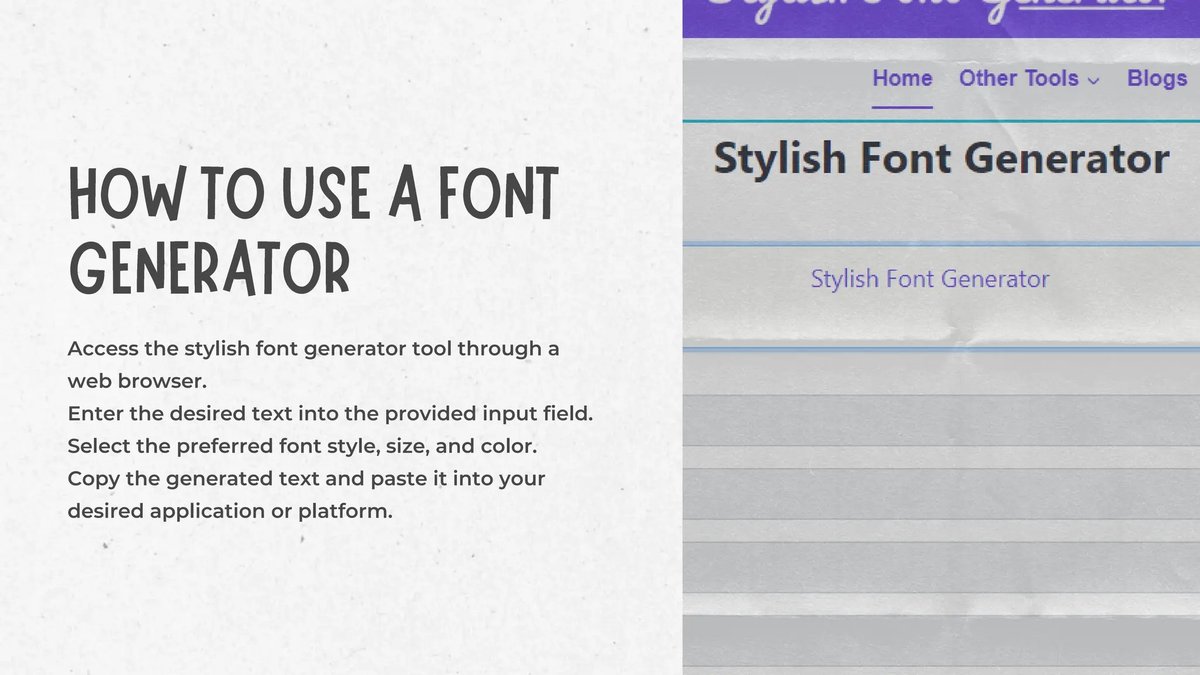
Here’s the simple mechanism behind most online font generators:
- Input: You type your desired text into the generator.
- Transformation: The generator instantly replaces each standard letter with a corresponding Unicode character from a fancy, bold, cursive, or decorated set.
- Output: You get a new string of characters that looks like a unique font.
- Copy-Paste: You copy this styled text and paste it wherever you need it – on social media, in messages, or even in some design tools.
It's literally that easy! There's no software to download for these quick-style generators, making them incredibly accessible.
Preview, Test, and Prioritize Readability
Before you blast your newly styled text across the internet, take a moment to ensure it's doing its job effectively.
- Real-time Preview is Key: Most quality generators offer real-time previews. Pay attention to how the text looks on different backgrounds or next to other elements.
- Test on Various Platforms and Devices: What looks great on your desktop might appear differently on a mobile phone or on a specific social media platform. Always give it a quick test. A style might render perfectly on Instagram but look completely broken on an older Android device.
- Readability Comes First: This is paramount. Overly decorative, distorted, or tiny text can be difficult to read and might even appear as spam. Your goal is to enhance, not hinder, comprehension. Avoid using super-dense or hard-to-read styles for long passages of text.
Blending Styles for Maximum Impact
Think of styled text as a spice – a little goes a long way. Instead of making an entire paragraph fancy, use it strategically:
- Highlight Keywords: Draw attention to important words or phrases.
- Emphasize Titles: Make headings or section breaks stand out.
- Personalize Your Bio: Create a unique, memorable social media bio.
- Mix and Match: Combine a bold headline with a subtle cursive sub-heading, then use regular text for the body. This creates visual hierarchy and keeps your content engaging.
Picking Your Perfect Text Sidekick: What to Look For in a Generator
With so many options out there, how do you choose the right tool for your specific needs? Consider these factors:
Speed vs. Deep Customization: Your Workflow Matters
- Copy-Paste Generators (Speed): If you need quick, instant stylistic changes for social media, chat apps, or quick design elements, copy-paste generators are your best friend. They offer a vast array of pre-defined styles with minimal fuss.
- Design-Focused Generators (Customization): For projects requiring more control over spacing, colors, text effects (shadows, gradients), or integration with broader design workflows, look for generators that are part of larger design suites. These often provide more visual customization options.
- Professional Editors (Deep Customization): For truly unique fonts that you can own and use across all your projects, or if you're a graphic designer or typographer, professional font creation software is the way to go. This involves a steeper learning curve but offers ultimate creative freedom.
Cross-Platform Compatibility: Where Will Your Text Live?
Most Unicode-based text works surprisingly well across a multitude of platforms. This includes:
- Social Media: Instagram, TikTok, Facebook, Twitter, YouTube
- Messaging: Discord, WhatsApp, Telegram
- Web: Basic text fields on websites and blogs
However, some very specific or extremely complex styles (like certain Zalgo glitches) might not render uniformly everywhere. Always test! For graphics, print, or complex website designs where absolute consistency and specific typographic controls are essential, downloadable font files are typically preferred over copy-pasted Unicode.
Platform-Specific Needs: Desktop, Mobile, or Beyond?
Think about where your primary work takes place.
- Mobile-Optimized Generators: If you're mainly styling text on your phone for Instagram Stories or TikTok captions, look for generators with intuitive mobile interfaces or dedicated apps.
- Desktop-Integrated Tools: For longer-form content, graphic design projects, or if you prefer working on a larger screen, desktop-friendly web generators or integrated design suites will be more efficient.
- Design Suite Integration: Many generators are part of larger design ecosystems (like Picsart or Fotor). If you already use these platforms, their integrated text styling tools can streamline your workflow significantly.
Beyond the Basics: A Deep Dive into Popular Themed Font Generators
Let's explore some of the most popular and effective themed font generators available today, highlighting their unique strengths and features.
Quick & Creative Copy-Pasters (Unicode-Based)
These are your go-to for instant, no-fuss text styling, perfect for social media and casual digital use.
- Picsart: The Design Suite Integrator
Picsart isn't just a photo editor; it's a comprehensive creative suite. Its text generator boasts over 170 styles, ranging from cool and fancy to cursive and decorated. The real power here lies in its integration with Picsart's broader design tools. You get real-time previews, seamless copy-pasting, and even AI-powered text effects like shadows, gradients, and 3D transformations, allowing you to quickly layer styled text into your designs. - LingoJam: The Uncomplicated Workhorse
For sheer volume and simplicity, LingoJam is a classic. It offers an impressive 361+ variations, covering everything from standard bold and cursive to more niche styles like Zalgo glitch and strikethrough. It's completely free, requires no sign-up, relies on standard Unicode (meaning it works virtually everywhere), and generates styles instantly. Its mobile-friendly interface makes it a great choice for on-the-go styling. - Pixelied: Visual Clarity, Design Integration
Pixelied provides a clean, user-friendly experience with a large preview window that lets you see your text styles clearly. It hosts hundreds of searchable copy-paste styles and integrates smoothly with Pixelied's wider design suite, which is perfect if you’re already using their platform for other visual creations. It's optimized for cross-device use and even offers basic font editor tools for minor tweaks. - Fancytextpro: Social Media's Best Friend
Specifically optimized with social media in mind, Fancytextpro excels at unique ASCII and Unicode style combinations. It often includes recommendations for specific platforms like Instagram, Facebook, WhatsApp, and Twitter, and allows for the easy integration of emojis and symbols. It handles longer text passages well, is free, and offers unlimited generations, making it a robust choice for social media managers and avid posters. - Namecheap: Quirky Styles, Clean Interface
Part of Namecheap's broader Visual design toolkit, this generator offers a delightful array of unique styles, including backwards text, various symbol variations, and even horoscope fonts. It prides itself on nearly unlimited options, is completely free, requires no login, and features a clean interface with clear visual previews – a no-nonsense tool for distinctive text. - TextGenerator: Vast Symbol Library, ASCII Art
Offering over 175 Unicode font styles and an astounding 117,000+ symbols, TextGenerator is a treasure trove for anyone looking to add intricate details to their text. It features semantic symbol matching (suggesting relevant symbols as you type) and an ASCII Text Designer for creating framed or more structured text elements. It boasts zero lag and a highly mobile-optimized interface, ensuring a smooth experience across devices. - Fotor: Seamless Design Workflows
Like Picsart, Fotor is a larger design platform with a powerful integrated text generator. It offers 100+ Unicode font styles and provides a seamless transition to Fotor's extensive library of design templates. With a built-in effects panel for glows, shadows, and gradients, and available as a mobile app, Fotor allows free unlimited use without watermarks, making it excellent for quick design integrations. - Meta Tags by Fontly: Social Card Previews for Edge Cases
This generator stands out by focusing on how your styled text will appear in social media Meta cards (Open Graph previews). It offers an extensive collection of unusual and creative styles like Zalgo, strikethrough, upside-down, and bracket text. It’s free, requires no accounts, and is ideal for advanced users who need precise control over their social media link previews.
Design-Centric & Branding Tools
These generators often go beyond simple copy-paste, offering features tailored for visual design and brand consistency.
- Coolors: The Color-Font Harmony Creator
While primarily known for color palette generation, Coolors also focuses on font-color combinations. It helps users find trending palettes and suggests Open Font License (OFL) fonts that are free for both commercial and personal use. Its integration with the wider Coolors ecosystem makes it an excellent resource for maintaining cohesive branding across various visual assets. - Flyerwiz: Graphics-Focused Text Styling
Tailored specifically for flyer and graphic design, Flyerwiz offers text styles designed for impactful branding. Available on Android/iOS apps, it integrates with Flyerwiz's design tools and uniquely shows your styled text in real design layouts, helping you visualize its final appearance within your marketing materials.
Professional Font Creation & Editing (True Font Files)
For those who need to design actual fonts, modify existing ones, or require maximum control for print and high-fidelity digital projects, these are the industry-standard software solutions. These tools create .otf, .ttf, or .woff files, not just Unicode strings.
- FontLab: The Industry Standard for Font Design
FontLab is a professional-grade font creation and editing software, widely used for OpenType, variable, color, and web fonts. It offers multi-format conversion, advanced vector editing (including meticulous kerning and hinting), image-to-vector tools, and supports all Unicode writing systems. This is where designers craft bespoke typefaces. - RoboFont: Customizable Powerhouse for Developers
RoboFont is a highly customizable professional font design tool, particularly favored by font developers due to its extensive Python scripting capabilities and rich ecosystem of extensions (like Mechanics and Corner Tools). It provides sophisticated spacing and kerning tools (Space Center, Kern Center), advanced glyph organization, and robust OpenType feature code editing, offering unparalleled flexibility. - Glyphs Mini: Precision Vector Editing for Artisans
Glyphs Mini offers professional vector editing with precise curve control, making it a favorite for designers focusing on the aesthetic details of type. It includes features like glyph components, auto-aligning, built-in filters (Hatch Outline, Offset Curve), and flexible import-export options (OTF, TTF, SVG, Illustrator). It also provides detailed font metric controls, allowing for finely tuned typography.
Unlocking Creative Potential: Where to Use Your Styled Text
The beauty of these generators is their versatility. Your newly styled text can enhance almost any digital touchpoint.
- Social Media & Online Identity: Elevate your Instagram bio, make your TikTok captions pop, create engaging Facebook posts, or add flair to your Twitter profile. A unique username or bio can leave a lasting impression. You might even find some creative inspiration for social profiles using Our Mario font generator to add a touch of nostalgia!
- Online Gaming & Chat: Personalize your usernames, clan names, or in-game messages on platforms like Discord, Twitch, or your favorite MMO. Stand out from the crowd and add personality to your communications.
- Graphic Design & Branding: Design eye-catching logos, marketing materials, advertisements, or posters. The right styled text can reinforce your brand's message and visual identity.
- Presentations & Slides: Make your visuals truly captivating. Use styled text for titles, key points, or speaker names to add dynamism and prevent your audience from zoning out.
- Video Editing & Titles: Create engaging titles, lower thirds, and overlays for your videos, adding a professional or artistic touch that complements your content.
- Email Signatures: Add a professional or personal touch to your email signature, making it more memorable than plain text.
- Artists & Crafters: Integrate artistic flair into typography-based artwork, custom merchandise, or digital crafts, bringing your creative visions to life.
- Website Design & Blogging: Enhance headings and key elements on your website or blog for better user experience and visual appeal, guiding your readers' eyes and emphasizing important information.
Clearing the Air: Font Generators vs. Editors, Unicode vs. Downloadable, and Commercial Use
There's often confusion surrounding different text tools and their applications. Let's set the record straight.
Generators vs. Editors: Instant Style vs. Deep Craft
- Font Generators: These are designed for quick results. You input text, select a style, and copy the Unicode output. They offer pre-defined options and are about instant aesthetic enhancement. Think of them as stylists.
- Font Editors (like FontLab, RoboFont, Glyphs Mini): These are powerful software applications for graphic designers, typographers, and developers. They allow you to meticulously design, modify, and create entirely new font files (e.g., .otf, .ttf) from scratch. This requires significant skill and time, but offers complete control. Think of them as the architects and engineers of type.
Unicode Text vs. Downloadable Fonts: When to Use What
- Unicode-Based Text (from most online generators):
- Pros: Instant, works almost everywhere (social media, chat apps), no files to download.
- Cons: Not actual font files, limited control over kerning/spacing/advanced features, rendering can vary slightly on older devices or niche platforms.
- Best For: Social media bios/posts, gaming handles, quick messages, adding flair to digital-native content.
- Downloadable Font Files (from font editors or font libraries):
- Pros: True font files (.otf, .ttf), full typographic control (kerning, hinting, ligatures), consistent rendering across design software and print.
- Cons: Requires installation, might have licensing restrictions, typically used in design software (Photoshop, Illustrator) or for web development.
- Best For: Graphic design, print media, branding, website development (where you embed font files), professional presentations, any project requiring absolute typographic consistency.
Navigating Commercial Use: Licensing Explained
When it comes to using generated or downloaded fonts for commercial purposes (e.g., in a logo, advertising, or products you sell), licensing is paramount.
- Copy-Paste Unicode Text: Generally, Unicode characters themselves are not copyrighted in the same way a font file is. The act of using a styled Unicode string generated online for commercial purposes is typically not an issue, as you're not distributing a font file. However, if a generator itself uses a proprietary method or embeds proprietary design elements, always double-check their terms of service. For general usage, it's usually safe.
- Downloadable Fonts: This is where you must be careful. Every downloadable font comes with a license (e.g., Personal Use Only, Commercial Use, Open Font License, End User License Agreement).
- Open Font License (OFL): Fonts released under OFL (like many on Coolors) are generally free to use, modify, and distribute for both personal and commercial projects. This is a safe bet.
- Proprietary Licenses: Most professional fonts (and many free ones) have specific licenses. Always read them. Some require purchasing a commercial license, while others prohibit certain uses (e.g., embedding in a software product).
- Creating Your Own Fonts: If you use professional editors like FontLab or Glyphs Mini to create a font from scratch, you own the copyright to that font (unless you've incorporated elements from other copyrighted fonts). This gives you complete control over its commercial use.
When in doubt, always err on the side of caution and check the specific terms associated with any font you intend to use commercially.
Your Next Steps to Text Transformation
You now have a robust understanding of popular themed font generators, how they work, which ones excel at what, and how to use them responsibly. The digital world is increasingly visual, and your text is a crucial part of that visual story.
Don't settle for bland and basic. Start experimenting! Pick one of the generators that caught your eye, type in a phrase, and explore the possibilities. Play with different styles, see how they look on your favorite platforms, and begin to weave these creative text elements into your online presence. Whether you’re jazzing up a quick tweet or designing a full-blown brand identity, the right font generator is a powerful ally in making your words truly stand out.