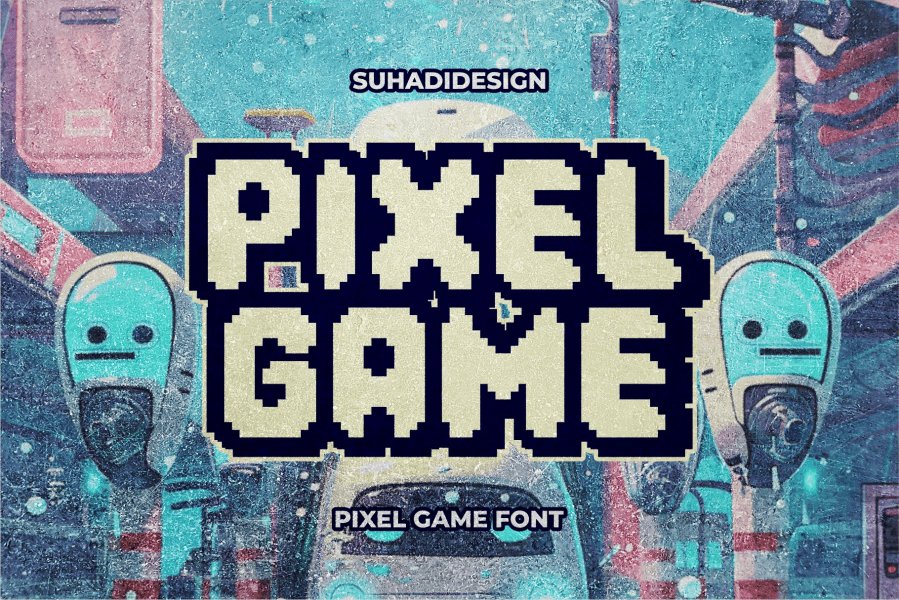
Remember the satisfying crunch of pixels under your virtual thumb, the blocky charm of an old-school arcade screen, or the unmistakable digital hum of an early operating system? That wasn't just nostalgia; it was the deliberate aesthetic of pixel art fonts. Far from being a relic, designing your own pixel art & retro game fonts is a powerful way to inject character, evoke emotion, and signal a specific digital identity in today's world. Whether you're building a retro-inspired indie game, branding a cutting-edge tech startup, or simply want to add a unique visual flair to your designs, mastering the art of pixel typography is a surprisingly relevant skill.
Pixel fonts are more than just old-school; they're a timeless language that speaks volumes about digital culture, gaming heritage, and a deliberate embrace of technological roots. Let's dive deep into what makes these tiny typographic titans so impactful, how to pick the perfect one for your project, and even how to craft your own from scratch.
At a Glance: Your Guide to Pixel Typography
- Pixel fonts are built on grids: Discrete blocks form legible characters within limited resolutions, creating that iconic "blocky" look.
- They're not just for games: Pixel fonts excel in tech branding, digital art, nostalgic designs, and indie media.
- Choose wisely: Consider resolution, thematic fit, readability, and character set when selecting.
- Avoid for formal or extended reading: Their unique aesthetic can hinder professionalism or cause visual fatigue in the wrong context.
- Designing your own involves precision: Mastering grid work, consistency, and testing is key to creating effective pixel fonts.
- A rich ecosystem exists: From bold arcade styles to elegant pixel serifs, there's a pixel font for every project.
The Micro Anatomy of Macro Impact: What Makes a Pixel Font Tick?
Before you start sketching out your first "A" in pixels, it's essential to understand the fundamental building blocks. Pixel fonts aren't just low-resolution versions of regular typefaces; they're a distinct art form with specific rules and characteristics that define their unique appeal.
Grid-Based Construction: The Foundation
At its core, a pixel font is a meticulously constructed matrix of individual squares—pixels—arranged on a rigid grid. This fundamental grid-based construction is what gives pixel fonts their signature "blocky" appearance. Unlike vector fonts, where curves are smooth and continuous, pixel fonts create the illusion of curves and diagonals through clever arrangements of these discrete blocks. It's a precise puzzle where every single pixel placement matters.
Limited Resolution: A Creative Constraint
The beauty of pixel fonts often lies in their deliberate limitations. They are designed for specific, often small, pixel dimensions (e.g., 8x8, 16x16 pixels per character). This limited resolution forces designers to optimize for legibility and character while maintaining the pixelated aesthetic. It's a masterclass in efficiency, where a single pixel can dramatically change the perceived shape or readability of a letter. Smart pixel arrangement suggests curves and diagonals, turning a constraint into a creative opportunity.
Perfect 90° Angles: The Digital Edge
The squared-off nature of pixel fonts, defined by their perfect 90° angles, gives them a distinctive "digital" feel. This characteristic immediately communicates technology, gaming, and computer interfaces. It's an aesthetic that bypasses organic forms to embrace the stark, precise geometry of the digital world, evoking a sense of structure and retro-futurism.
Size-Specific Design: When Bigger Isn't Always Better
A crucial aspect of pixel fonts is that they are often designed for specific pixel dimensions to appear crisp and legible. Scaling a pixel font up or down without proper anti-aliasing or specific pixel scaling algorithms can result in either blurred edges (losing the pixelation) or an uneven, jaggy appearance that distorts the character. For the best results, they are typically used at their intended pixel dimensions, maintaining their authentic blockiness.
Why Pixels Still Pop: Best Uses for Pixel Fonts
Pixel fonts are cultural touchstones, carrying a weight of meaning that transcends mere aesthetics. They're not just a stylistic choice; they're a statement.
- Gaming and Esports: This is their natural habitat. From UI elements, title screens, and character dialogue in indie games to the dynamic branding of esports teams, pixel fonts instantly immerse players in a world of digital adventure and competitive spirit. They signal game, plain and simple.
- Tech and Digital Branding: For startups, software products, and digital-first companies, pixel fonts signal innovation, a digital-native mindset, and a playful nod to the roots of computing. They say, "We speak fluent tech."
- Retro and Nostalgic Design: Want to evoke the 8-bit arcade cabinet or the 16-bit console era? Pixel fonts are your direct link. They create strong nostalgic connections, instantly transporting audiences back to simpler, yet profoundly influential, digital times.
- Digital Art and NFTs: In the realm of pixel art, using pixel fonts maintains a consistent aesthetic. They ensure that text seamlessly integrates with the visual language of the artwork, creating a cohesive and immersive digital experience, especially for NFTs where authenticity to digital craft is key.
- Indie and Alternative Media: Pixel fonts often signal a DIY ethos, creativity, and a counter-cultural positioning. They're raw, authentic, and eschew corporate slickness, making them perfect for independent projects, album art, or zines that want to stand out.
Knowing When to Power Down: Where to Avoid Pixel Fonts
While powerful, pixel fonts aren't a universal solution. Using them in the wrong context can undermine your message or alienate your audience.
- Formal Business Communications: Leave the pixel fonts out of your corporate reports, legal documents, or financial statements. Their playful, digital nature can lack the professionalism, gravitas, and seriousness required for such contexts.
- Extended Reading: While some pixel fonts are surprisingly legible, their inherent blockiness and limited resolution can cause visual fatigue when used as body text in longer documents or articles. Prioritize readability for substantial text blocks.
- Luxury Branding: High-end brands often emphasize timeless elegance, craftsmanship, and refined taste. Pixel fonts, with their distinctly digital and sometimes raw aesthetic, can clash with this desire for sophisticated polish, creating a disconnect in brand perception.
- Accessibility-Critical Applications: For users with visual impairments, dyslexia, or other reading disorders, the unique construction of pixel fonts may present significant challenges. Always prioritize clear, high-contrast, and universally legible fonts in applications where accessibility is paramount.
Navigating the Pixelverse: How to Pick the Perfect Font
Choosing the right pixel font is more than just picking one that "looks cool." It requires a thoughtful consideration of your project's technical requirements, aesthetic goals, and target audience.
- Resolution and Scale: The Pixel Budget:
- Intended Display Size: Will your font be tiny UI elements, large headlines, or something in between?
- Scaling Needs: Does it need to look good at multiple sizes, or will it consistently be used at its designed pixel dimension? Some pixel fonts are optimized for different base sizes (e.g., 8pt, 16pt). Understanding this early will prevent legibility issues later.
- Thematic Fit: What Era Are We In?
- Period Reference: Does your project evoke the chunky pixels of the 80s, the slightly smoother lines of the 16-bit era, or a more modern, refined pixel aesthetic?
- Gaming Platform: Is it MS-DOS, NES, SNES, or an arcade cabinet? Each has a distinct visual flavor that a pixel font can amplify. Aligning with the specific technological period referenced ensures maximum authenticity and impact.
- Functional Requirements: Display vs. Dialogue:
- Display Font: For headlines, titles, or logos, you can prioritize unique character and visual flair.
- Body Text/Dialogue Font: Readability is paramount. Look for fonts with clearer letterforms, good differentiation between similar characters (e.g., 'I' vs. 'l' vs. '1'), and appropriate spacing. Balancing character with legibility is key here.
- Character Set Completeness: Speaking Every Language:
- Basic Latin: Does it have all uppercase and lowercase letters, numbers, and common punctuation?
- Extended Characters: Do you need accents, diacritics, or symbols for multilingual support or specific technical notations? Verify the character set to avoid missing crucial glyphs.
- Style Consistency: Cohesive Pixelation:
- Pixel Density: Does the font's level of pixelation (e.g., fine-grained vs. chunky) match other design elements in your project, like existing pixel art assets?
- Visual Coherence: Ensure the font complements your overall visual language, creating a unified and polished aesthetic rather than a disjointed one.
Beyond the Pixels: Stellar Alternatives When "Blocky" Isn't Right
Sometimes, a full-on pixel font might be too literal or too niche for your project. But you can still capture that tech-forward or retro vibe with alternatives that offer a smoother, more flexible aesthetic.
- Geometric Sans Serifs: Fonts like Eurostile, Chakra Petch, or Space Grotesk offer a clean, structured, and inherently tech-forward feel. Their precise geometric forms evoke digital interfaces without the explicit blockiness of pixels. They're great for a sophisticated, modern tech aesthetic.
- Techno Display Fonts: For a truly futuristic vibe, consider fonts like Audiowide, Monoton, or Orbitron. These capture distinct geometric forms, sharp angles, and sometimes subtle sci-fi flourishes, perfect for conveying high-tech innovation or dynamic energy.
- Monospaced Fonts: Think IBM Plex Mono, Roboto Mono, or JetBrains Mono. These fonts, where every character occupies the same horizontal space, immediately evoke coding, computer terminals, and text editors. They offer excellent readability for technical content and a subtle nod to digital origins without being pixelated.
- Custom Hybrid Approaches: Don't be afraid to get creative! You could integrate subtle pixel-inspired details—like a slightly blocky underscore or squared-off terminals—into an otherwise smooth, clean design. This "hint" of digital culture can be very effective in striking a balance between retro charm and contemporary aesthetics.
A Curated Showcase: 28 Pixel Fonts for Your 2026 Projects
The world of pixel typography is incredibly rich and diverse. Here's a detailed look at 28 distinct pixel fonts, their unique characteristics, and ideal applications, poised to make an impact in 2026:
- Arcade Pixel: This font screams nostalgia with its authentic 8-bit, retro-inspired look. Perfect for game titles, vintage digital aesthetics, or any project aiming for classic arcade charm.
- Techbit: Modern and clean, Techbit offers subtle digital roots with soft edges and clean lines. Highly legible, it’s a go-to for tech-savvy logos, headlines, and branding in the technology sector.
- Groovy Pixel: Playful, energetic, and 70s-inspired, Groovy Pixel adds a quirky, vibrant touch. Ideal for youthful designs, entertainment products, or children's media that needs a fun, retro twist.
- Antilag: A unique pixel serif, Antilag blends elegance with modernity. Its distinct serif details make it suitable for display in tech-oriented or gaming designs that require a touch of sophistication.
- Scorn: Bold, edgy, and aggressive with sharp, angular characters. Scorn is made for designs conveying strength, rebellion, or intense energy, fitting perfectly in gaming or alternative music branding.
- Gimbot: Balancing retro and contemporary, Gimbot is modern, clean, and geometric. Its readability and versatility make it excellent for tech branding, creative projects, or user interfaces where clarity is key.
- Analog Pixel – SVG Font: A truly unique SVG font, offering multi-color capabilities and scalable vector properties for crisp rendering. Analog Pixel adds depth and vibrancy, allowing for rich, detailed pixel designs.
- Psygen: Sleek, modern, and minimalist, Psygen embodies a futuristic aesthetic. It's an ideal choice for tech startups, digital products, or any project seeking a contemporary digital edge.
- Pixel Stick: Charming and retro-inspired, Pixel Stick features a distinct stick-like construction. Its playful nature is perfect for nostalgic designs, game interfaces, or quirky branding that wants to feel lighthearted.
- Pixel Bots: Fun, quirky, and mechanical, Pixel Bots features angular characters reminiscent of automation and AI. Great for tech or robotic projects that need a friendly, futuristic touch.
- Pixolatte: Bold and embracing Y2K aesthetics, Pixolatte boasts chunky characters with smooth curves. Use it for headlines or logos that need a tech-savvy, nostalgic, and slightly playful feel.
- Super Pixels: Vibrant, energetic, and full of retro gaming spirit, Super Pixels is bold and blocky. It’s a playful choice for game titles, children's products, or anything needing a dose of fun and nostalgia. You could even use it to create a custom look for things like Our Mario Font Generator.
- Pixel Purl – 8Bit: A charming and delicate 8-bit font with rounded edges, Pixel Purl feels friendly and approachable. It's excellent for cute game designs, children's content, or when you want a softer, gentler pixel look.
- Pixbye Breaks: Dynamic and sporty, Pixbye Breaks incorporates digital glitch effects, making it perfect for game designs, sports graphics, or anything that needs to convey energy and digital disruption.
- Round Pixel: With softer, circular pixel elements, Round Pixel offers a unique texture and improved readability. It works well for display and body text in digital or retro designs where a less angular look is desired.
- Angeris Pixel: An elegant serif pixel font, Angeris Pixel beautifully merges classical typography with digital aesthetics. It's refined and traditional, suitable for projects that seek timeless elegance in a digital context.
- Pixel Font Tickerbit: Retro-inspired and reminiscent of old digital displays, Tickerbit is narrow and elongated like LED tickers. It's ideal for retro technology themes or creating a nostalgic digital atmosphere.
- Robert: Capturing the essence of 90s digital design, Robert is clean, geometric, and features subtle rounding. It blends retro charm with contemporary aesthetics, offering a nostalgic yet modern feel.
- Spacepix: Futuristic and sci-fi-inspired, Spacepix is sleek, angular, and features subtle curves. It's a high-tech choice for space-themed or futuristic concepts, adding an element of advanced technology.
- Pixel Impact – 8Bit: Bold and attention-grabbing, Pixel Impact is a chunky, high-contrast 8-bit font. Perfect for game titles, posters, or any design needing to convey power, energy, and an unmissable message.
- Pixbit – Geometric Display: Sleek, geometric, and minimalist, Pixbit features clean lines and symmetry. It's an excellent choice for tech branding, futuristic designs, or a sophisticated pixel aesthetic.
- Takotak: Versatile and balancing playfulness with readability, Takotak is clear even at small sizes. This makes it suitable for both headlines and body text in game interfaces, digital publications, and general retro designs.
- Pixelya: A cheerful and expressive display font, Pixelya features playful character shapes and varied pixel density. It's fantastic for fun, energetic projects or designs targeting younger audiences.
- CS Wilson – Pixel Craft: Evoking early computer typography, command-line interfaces, and classic PC games, CS Wilson is a strong choice for retro computing, tech-nostalgia, or celebrating digital history.
- Pixely: Offering a corporate and professional edge, Pixely combines clean lines with alternate characters for versatility. It's great for modern business branding that wants a subtle digital aesthetic without being overtly playful.
- Game Browner: Innovative and blending pixel art with glitch aesthetics and Art Deco influences, Game Browner is a bold, edgy choice for game designs, album covers, or any project needing a distinctive digital look.
- Bugvirus – Digital Pixel Game / Software Font: This font captures the look of early computer software and games with its sharp edges and compact nature, conveying digital precision. Ideal for cybersecurity themes, retro computing, or representing the essence of digital code.
- Mainport pixelate font: Stylish and sophisticated, Mainport features clean lines and thoughtful pixel placement, creating a modern and urbane feel. It's well-suited for fashion brands, lifestyle products, or digital aesthetics that require a contemporary, polished style.
Crafting Your Own Pixel Masterpiece: Essential Design Principles
Beyond just picking a font, the real magic happens when you understand how to design one. Creating your own pixel art font is a rewarding exercise in precision, constraint, and digital craftsmanship.
1. Start with the Grid: Define Your Canvas
Every pixel font begins with a grid. Decide on your character's base resolution early—common sizes are 5x7, 8x8, 16x16, or even 24x24 pixels. This grid defines your working canvas for each character.
- Recommendation: Begin with smaller grids (like 8x8) to grasp the core principles, then scale up.
2. Embrace Constraints: The Art of Suggestion
With limited pixels, you can't draw perfect curves or smooth diagonals. Instead, you "suggest" them.
- Diagonals: Use a stair-step pattern. For example, a 45-degree line might be represented by alternating single pixels: pixel, then a space, then a pixel above and to the right, creating a jagged but clear diagonal.
- Curves: Build curves using a series of short, straight segments. The fewer pixels you have, the more angular your "curve" will be. It's about finding the most efficient and recognizable shape with minimal input.
3. Consistency is King: Visual Harmony
This is paramount for readability and aesthetic appeal.
- Stroke Width: Decide on a consistent "stroke" width (e.g., 1 pixel, 2 pixels) for your letters and stick to it. This applies to the thickness of vertical, horizontal, and diagonal lines.
- Pixel Density: Maintain a consistent feel across all characters. If some letters are dense and others are sparse, the font will look uneven.
- Cap Height and X-Height: Define the height of your uppercase letters (cap height) and the height of your lowercase letters without ascenders/descenders (x-height) and apply it uniformly.
4. Spacing and Kerning: Don't Forget the Air
Pixel fonts aren't just about the characters themselves but also the space between them.
- Monospaced vs. Proportional: Most retro pixel fonts are monospaced (each character takes the same width, like a typewriter). Proportional fonts allow for variable width, which is harder to achieve effectively in pixel art but can enhance readability.
- Side Bearings: The blank space to the left and right of each character. Adjust this carefully to prevent letters from clashing or appearing too far apart.
- Kerning (for proportional fonts): Adjust the space between specific pairs of letters (e.g., "VA" usually needs tighter spacing than "VW") to create optical balance. This is advanced but crucial for a polished look.
5. Essential Character Set: Start Simple, Expand Later
Don't try to design every character at once.
- Begin with core letters: Focus on all uppercase (A-Z), lowercase (a-z), numbers (0-9), and basic punctuation (.,!?-).
- Test common words: Once you have a basic set, type out common words and sentences to check readability and spacing.
6. Tools of the Trade: Your Digital Workbench
While you can technically design pixel fonts in any image editor, specialized tools make it easier:
- Pixel Art Software: Aseprite, GraphicsGale, or even Photoshop/GIMP with a good pixel grid setup are excellent choices.
- Font Editors: Software like FontForge or Glyphs (more advanced) allow you to import your pixel art glyphs and turn them into a working font file (e.g., .OTF, .TTF).
7. Iterate and Test: Refine Your Vision
Designing a pixel font is an iterative process.
- Print it out: Sometimes seeing it on paper can reveal issues invisible on screen.
- Test in context: See how your font looks in a game UI, on a website, or as a logo. Does it still convey the intended feeling?
- Get feedback: Fresh eyes can spot inconsistencies or areas for improvement.
Frequently Asked Questions About Pixel Fonts
Let's clear up some common queries about these charmingly blocky typefaces.
What font looks like 8-bit?
For an authentic 8-bit look, some popular choices include "Press Start 2P," which is widely recognized for its game-accurate pixel structure; "VCR OSD Mono," which evokes old video recorder displays; and "8-Bit Wonder," a classic that truly captures the early console aesthetic.
What font is used in pixel art?
While specific fonts can vary, the "04b" family fonts (like "04b03" or "04b_30"), "Perfect DOS VGA," and "Visitor" are very popular choices in the pixel art community. These are chosen not just for their aesthetic, but also for their consistent pixel density, ensuring they seamlessly integrate with the surrounding pixel artwork without clashing.
Are pixel fonts copyrighted?
Yes, like all typefaces, pixel fonts are subject to copyright and licensing agreements. Always check the specific license for each font you download. Many offer free personal use, but commercial use often requires purchasing a license. Respecting these licenses is crucial for supporting font designers.
Do pixel fonts work in print?
Yes, pixel fonts can work in print, but with careful handling. The key is to use them at larger sizes where the pixelation appears intentional and stylistic, rather than as a low-resolution error. When printed small, the pixels can become indistinct or blur, losing their characteristic charm. Ensure your print resolution (DPI) is high enough to render the pixels clearly.
The Enduring Allure of the Pixel
Pixel fonts are more than just a throwback to a bygone era; they are a deliberate artistic choice, a powerful cultural signifier, and a testament to the enduring appeal of digital aesthetics. They're both retro and timeless, technically constrained yet incredibly expressive.
As we move toward 2026 and beyond, pixel fonts maintain their relevance, particularly in the dynamic realms of gaming, digital art, indie media, and tech branding. They offer a unique way to communicate digital culture, celebrate gaming heritage, and plant your project firmly in its technological roots. By understanding their characteristics, knowing when and where to deploy them, and even learning to craft your own, you unlock a creative opportunity to speak the language of pixels with confidence and impact. So go forth, embrace the grid, and let your pixels tell your story!